

TL;DR:
- Effective event lighting boosts engagement and ROI by controlling focus and atmosphere.
- Thorough site surveys and early collaboration ensure compliance and optimal fixture placement.
- Proper testing and troubleshooting with professional support create a polished, distraction-free event.
Lighting is one of the most powerful tools in your event planning arsenal, yet it’s frequently underestimated until something goes wrong. A poorly lit stage flattens your presenter’s presence, washes out your branded visuals, and leaves attendees disengaged before the first slide appears. For corporate event planners across Australia, getting the lighting right is not a creative luxury. It is a business necessity. This guide walks you through a proven, practical process for setting up effective event lighting, from understanding its measurable impact through to site surveys, hands-on setup, and final testing, all with local compliance in mind.
Table of Contents
- Understand lighting’s impact on events
- Plan your event lighting: Site surveys and prerequisites
- Step-by-step event lighting setup process
- Troubleshooting, testing and outcome verification
- What most event planners overlook about lighting setup
- Let your next event shine: Professional support for flawless lighting
- Frequently asked questions
Key Takeaways
| Point | Details |
|---|---|
| Early planning is crucial | A site survey and checklist prevent technical surprises on event day. |
| Tidy rigging matters | Hiding cables and infrastructure keeps your event looking professional. |
| Test for hybrid needs | Always check lighting on-camera and in-person for modern business gatherings. |
| Optimise for engagement | Strategically designed lighting can boost attendee engagement by up to 40 percent. |
Understand lighting’s impact on events
With the stakes established, it’s essential to grasp the specific effects lighting has on both presenters and attendees. Lighting shapes how people feel in a room, where they focus their attention, and how long they stay engaged. In a corporate context, that translates directly to business outcomes.
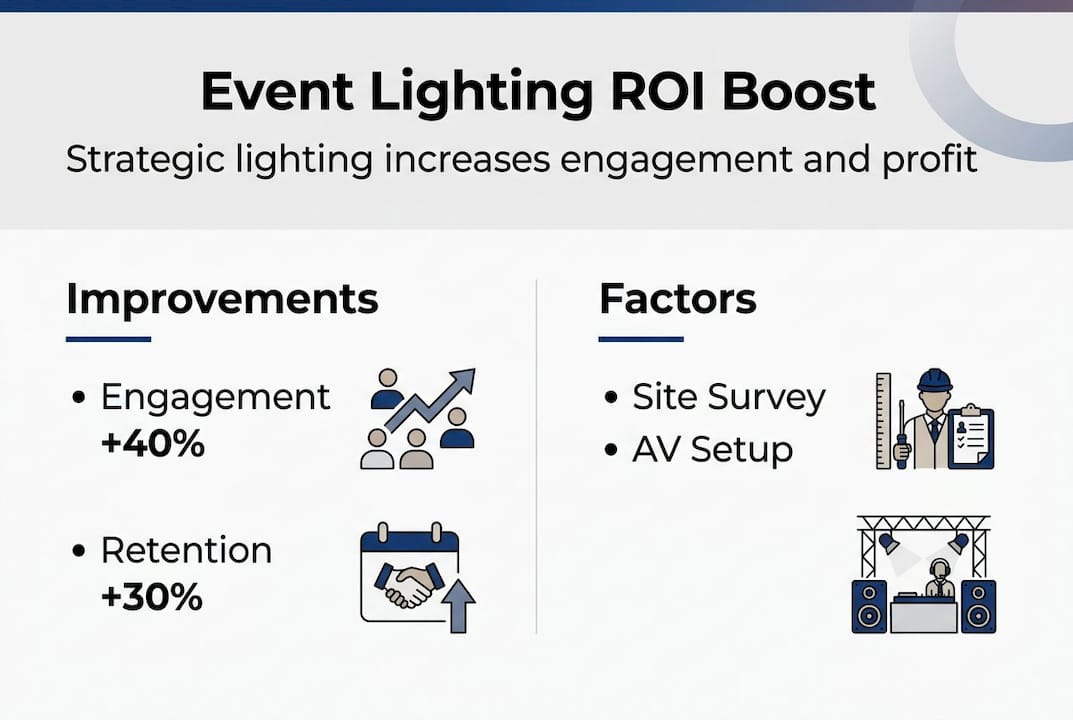
Strategic lighting boosts engagement 40%, retention 30%, and can lift ROI by up to 40%. These are not marginal gains. They represent the difference between an event that drives real results and one that simply fills a calendar slot. When you control the light, you control the room.
There are two broad approaches to event lighting: functional and creative. Functional lighting ensures visibility, safety, and technical clarity. Creative lighting adds atmosphere, reinforces brand identity, and guides emotional responses. For most business events, you need both working together, not one at the expense of the other.
When enhancing event visuals for corporate audiences, consider these key lighting functions:
- Key lighting: Illuminates the presenter’s face clearly, typically set at 800 to 1200 lux for stage areas
- Fill lighting: Softens shadows and balances the key light for a polished, professional look
- Audience lighting: Kept lower, around 200 to 300 lux, to maintain focus on the stage without blinding attendees
- Wash lighting: Covers broad areas evenly, useful for breakout rooms and networking zones
- Accent lighting: Highlights branding, signage, or architectural features to reinforce event identity
Understanding event lighting planning strategies helps clarify when to apply each type. The table below illustrates the key differences between a dramatic creative approach and professional corporate subtlety.
| Lighting style | Best suited for | Key characteristics |
|---|---|---|
| Dramatic/creative | Product launches, galas | Bold colours, moving heads, high contrast |
| Professional/subtle | Conferences, board meetings | Neutral tones, even wash, clean sightlines |
| Hybrid approach | Award nights, corporate dinners | Branded colour accents with functional base |
Applying proven AV best practices from the outset ensures your lighting choices are grounded in both technical standards and audience psychology, not just aesthetics.
Plan your event lighting: Site surveys and prerequisites
Once the benefits of good lighting are clear, the next step is thorough preparation before setup day. Skipping the site survey is one of the most common and costly mistakes in event lighting. You cannot design an effective lighting plan from a floor plan alone.
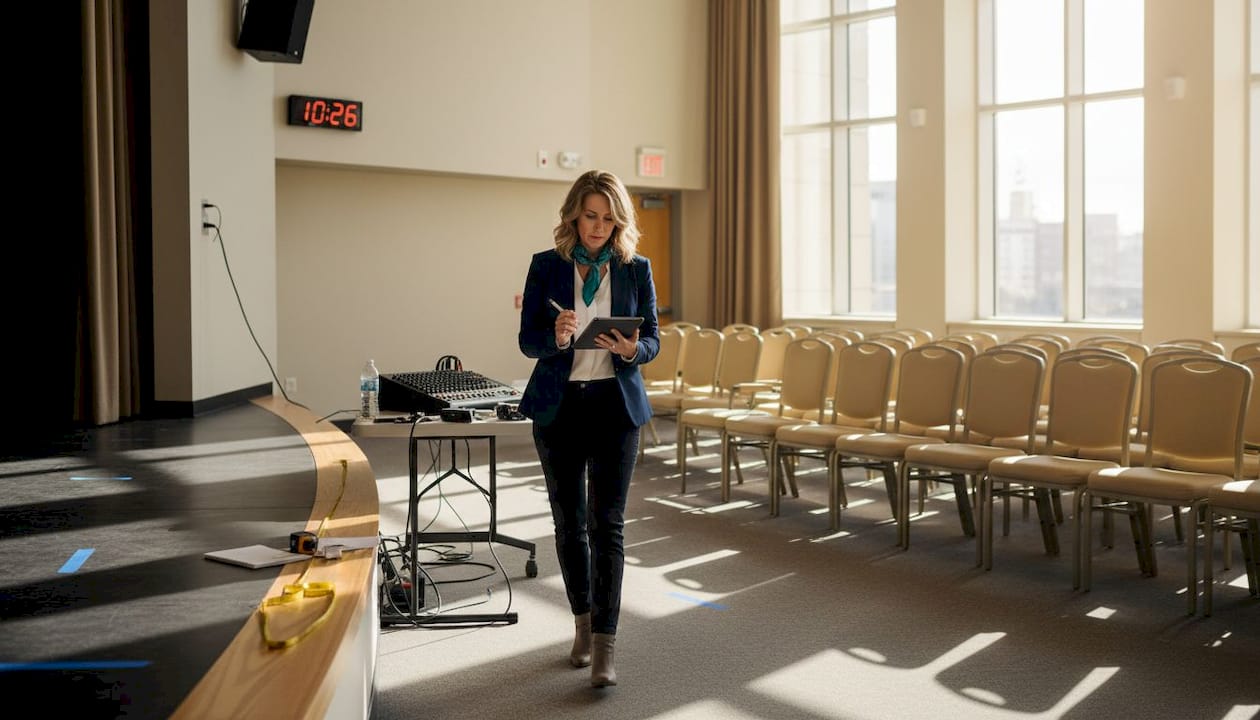
A proper site visit covers ceiling height, ambient light, and sightlines, as well as power circuit capacity and rigging anchor points. Each of these factors directly affects which fixtures you can use, where you can hang them, and how safely you can operate them. Australian Standards for rigging and electrical safety are non-negotiable, and compliance must be built into the plan from day one.
Here is a numbered checklist to guide your pre-event preparation:
- Visit the venue and walk the full space, including back-of-house areas and loading docks
- Measure ceiling heights and identify rigging points, trusses, or grid structures
- Assess ambient light sources, including windows, skylights, and existing house lighting
- Map power circuits and confirm total load capacity with the venue’s electrician
- Identify control points for DMX (Digital Multiplex, the standard lighting control protocol) runs or wireless receivers
- Review sightlines from every audience seating zone to the stage
- Confirm compliance requirements with your AV partner and the venue’s safety officer
The AV checklist workflow we use at Conference Audio Visual captures all of these steps in a structured format, so nothing is missed under pressure.
Safety note: All rigging in Australia must comply with AS 2550 (cranes and hoists) and relevant electrical safety standards. Never allow unlicensed personnel to rig overhead equipment.
Pro Tip: Book your site survey at least four weeks before the event. This gives you time to source specialist equipment, request venue modifications, and resolve any compliance issues without last-minute pressure.
Early collaboration with AV specialists also allows for accurate budgeting. Surprises discovered on setup day, such as insufficient power or low ceiling clearance, are far more expensive to fix than issues identified during planning. The AV management process works best when lighting is integrated from the first planning conversation, not added as an afterthought.
Step-by-step event lighting setup process
With planning complete and requirements checked, it’s time to move seamlessly into the hands-on setup phase. A structured approach prevents errors, reduces rework, and keeps your timeline on track.
Follow these steps for a reliable corporate lighting setup:
- Unpack and inventory all fixtures, cables, controllers, and rigging hardware before starting
- Rig overhead fixtures first, using certified riggers and safety bonds on every suspended item
- Run and dress all cabling, securing with black gaff tape and routing through cable management channels
- Connect power in balanced loads across circuits, never exceeding 80% of each circuit’s rated capacity
- Power up and test each fixture individually before programming begins
- Focus and angle each light to its intended target, checking for spill onto unwanted surfaces
- Programme your lighting desk with scene presets for each segment of the event programme
- Conduct a full run-through with a stand-in on stage to verify key light, fill, and background balance
Clean rigging is a professional standard, not just an aesthetic preference. Hide cables using gaff tape, wireless DMX, and battery-powered fixtures where possible. Black or skirted trusses and strategic draping keep the infrastructure invisible to attendees. Visible cables are a trip hazard and a distraction.
Our corporate lighting service options include full rigging, programming, and on-site operation, so your team can focus on the event itself. Working alongside experienced AV technicians means every step is handled with precision and accountability.
Common pitfalls to avoid during setup:
- Overloading a single power circuit with multiple high-draw fixtures
- Leaving cables visible across audience walkways or stage entries
- Mixing colour temperatures between fixtures, which creates an unprofessional, inconsistent look
- Failing to label DMX channels before programming, leading to confusion during the event
Pro Tip: Use corporate lighting setup guidance from your AV partner to create a labelled patch sheet before setup day. This saves significant time when troubleshooting under pressure.
Troubleshooting, testing and outcome verification
No setup is complete without diligent testing, troubleshooting, and real-world verification. Even the most carefully planned lighting rig can reveal unexpected problems once it is fully powered and the room fills with people and equipment.
For hybrid events, camera-friendly contrast and LED wall integration are critical. Venue windows can cause severe backlighting for both in-person presenters and remote camera feeds. Always test with cameras rolling, not just with the naked eye.
Colour temperature matching is equally important. Mismatched temperatures create glare, halation (a glow around light sources on camera), and unflattering skin tones that undermine presenter credibility on screen. Aim for a consistent 4000 to 5600 Kelvin range for most corporate settings.
Key tests to run before doors open:
- Lux meter check: Verify stage and audience lux levels against your targets
- Camera verification: Record a short clip from the event camera position and review for glare, contrast, and colour accuracy
- Sightline check: Walk every audience seating zone and confirm no fixture is causing direct glare
- Coverage audit: Identify any dark patches or hotspots on the stage or presentation screen
- Backup systems test: Confirm all wireless DMX receivers and battery-powered units are functioning
Common issues discovered during testing include:
- Backlighting from uncovered windows or skylights
- Glare from fixtures aimed too low or at reflective surfaces
- Uneven coverage leaving corners or lecterns in shadow
- Colour inconsistency between LED and tungsten sources
- Screen washout from fixtures aimed too close to projection surfaces
For coordinating lighting and sound, run a combined technical rehearsal so that lighting cues align with audio transitions and presentation moments. This is where maximising visual presentation quality becomes a team effort rather than an individual task.
Compliance reminder: All electrical and rigging checks must be signed off by a qualified professional before the event opens to attendees. Keep a fallback plan, such as spare fixtures and a secondary DMX path, ready at all times.
Pro Tip: Use wireless or battery-powered fixtures for late-stage fixes. Rewiring a powered rig with attendees in the room is unsafe and disruptive. Battery units give you flexibility without risk.
Review event lighting testing advice to build a standardised testing checklist you can reuse across multiple events.
What most event planners overlook about lighting setup
Stepping back, there is insight gained from years in the industry that most guides miss, especially in high-stakes corporate settings. The biggest gap we see is not technical. It is timing. Most lighting problems at corporate events trace back to decisions made too late, specifically when AV is treated as a logistics task rather than a strategic one.
Many planners skip the site walk entirely, relying on venue specs that are often outdated or incomplete. Others brief their AV team only days before the event, leaving no room to source specialist equipment or resolve compliance issues. The result is last-minute workarounds that cost more and deliver less.
There is also a tendency to chase visual drama when business events actually need disciplined polish. Not every conference needs moving lights and colour washes. Sometimes the most effective lighting is the one nobody notices because it simply makes everything look clear, professional, and well-organised.
LEDs dominate for energy efficiency, colour accuracy, and low maintenance, and they are the right choice for most corporate and hybrid formats. Integrating your lighting, audio, and visual systems from the start, rather than treating them as separate workstreams, is where the real gains come from. Our event theming specialists approach every event this way, and the results speak for themselves. Flexibility and neatness should be your top priorities, even when the budget is tight.
Let your next event shine: Professional support for flawless lighting
When the stakes are high and the DIY route feels overwhelming, partnering with an experienced AV team ensures nothing is left to chance.
At Conference Audio Visual, we handle every aspect of your event lighting services, from the initial site survey through to on-the-day operation and pack-down. Our team brings deep knowledge of Australian compliance standards, a full inventory of professional-grade equipment, and dedicated account managers who keep your event on track. Whether you are planning a national conference or a corporate dinner, our AV management and hire solutions are tailored to your specific venue, audience, and programme. Contact us today for a flexible, obligation-free quote.
Frequently asked questions
What is the standard lux level for event lighting in business conferences?
For audience areas, aim for 200 to 300 lux; stage key lighting should be set at 800 to 1200 lux for clear visibility on both camera and in person. These empirical benchmarks are widely accepted across the corporate events industry.
How can I reduce visible cables and clutter in my event lighting setup?
Use wireless DMX, battery-powered fixtures, and skirted trusses; secure cables with black gaff tape and plan for hidden runs during initial rigging. Clean rigging practices also reduce trip hazards and improve the overall professional appearance of your event.
Why is matching colour temperature important in event lighting?
Consistent colour temperature prevents glare and odd reflections on camera and ensures presenters’ skin tones look natural and credible. Colour temperature matching is especially critical when your event is being recorded or streamed to remote attendees.
What’s a common lighting mistake for hybrid or online-enabled events?
Failing to balance camera-friendly contrast or to integrate LED walls can result in uneven lighting for both in-person and remote attendees. Hybrid event lighting requires testing with live camera feeds, not just visual inspection from the audience floor.